
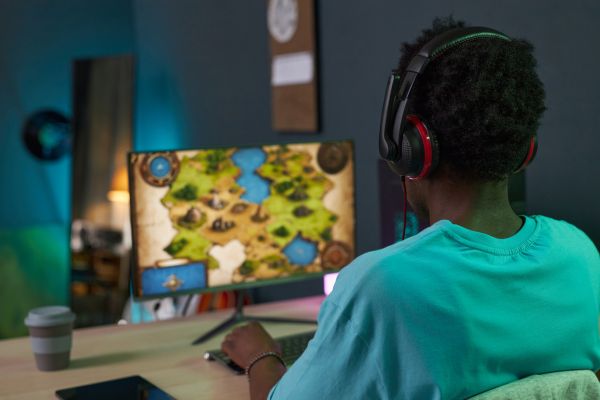
Streaming games used to feel like something reserved for professional creators with high-end setups and massive audiences. These days, it’s much more accessible. If you’ve ever watched someone play live on YouTube and thought, I could do that, you’re probably right.
Still, figuring out how to stream games on YouTube for the first time can feel a bit overwhelming. There are tools to choose, settings to configure, and a few small details that can trip you up if you’re not prepared. The good news is that once you understand the basics, it all starts to click into place.
Let’s walk through what actually matters when getting started.
Understanding What You Need Before You Go Live
Before diving into software and settings, it helps to step back and think about the foundation. Streaming is essentially broadcasting your gameplay in real time, which means your setup needs to handle both playing the game and encoding video simultaneously.
At the very least, you’ll need a device capable of running your game smoothly while also handling streaming software. For PC gamers, this means a reasonably strong processor and enough RAM to keep things stable. Console players have a slightly different path, often involving a capture card or built-in streaming options.
An internet connection matters more than people expect. Streaming relies heavily on upload speed, not download speed. Even if your games run perfectly, a weak upload speed can lead to laggy or blurry streams.
And then there’s audio. Viewers tend to forgive average video quality, but poor sound is hard to ignore. A basic microphone upgrade can make a noticeable difference.
Setting Up Your YouTube Channel for Streaming
YouTube doesn’t automatically enable live streaming for new accounts. There’s a small but important step you need to complete first.
Once your channel is verified, you’ll need to enable live streaming in YouTube Studio. It usually takes up to 24 hours for the feature to activate, so it’s worth doing this ahead of time rather than right before your first stream.
This is also a good moment to think about how your channel looks. You don’t need anything fancy, but a recognizable name, a profile image, and a simple banner help give your stream a bit of identity.
Streaming is as much about consistency as it is about gameplay.
Choosing the Right Streaming Software
When people start researching how to stream games on YouTube, they quickly run into software options. The most common choice for beginners is OBS Studio, and for good reason.
OBS is free, flexible, and widely supported. It lets you capture your screen, add overlays, adjust audio levels, and manage scenes. At first glance, the interface might seem a bit technical, but once you understand the basics, it becomes surprisingly intuitive.
There are alternatives like Streamlabs, which offer a more guided experience with built-in templates. Some people prefer that simplicity, especially when starting out.
Whichever option you choose, the core idea is the same: your software captures your gameplay, combines it with audio and visuals, and sends it to YouTube.
Connecting Your Stream to YouTube
This is where things start to feel real.
Inside YouTube Studio, you’ll find the live streaming section, which provides something called a stream key. Think of it as a secure link between your streaming software and your YouTube channel.
You copy that key into your streaming software, and once it’s connected, your software knows exactly where to send your stream.
It sounds technical, but in practice it’s just a copy-and-paste step. Still, it’s important to keep your stream key private. Anyone with access to it could stream on your channel.
Configuring Video and Audio Settings
This is one of those areas where beginners often overthink things.
You don’t need perfect settings to start streaming. In fact, trying to push everything to maximum quality can actually cause problems if your system or internet can’t keep up.
A stable stream at 720p or 1080p is more than enough when you’re starting out. The goal is smooth performance, not cinematic perfection.
Audio deserves a bit more attention. Balancing your microphone with game sound takes a little trial and error. You don’t want your voice to be drowned out, but you also don’t want the game to feel distant.
It’s worth doing a short test recording before going live. Hearing your own stream from a viewer’s perspective can reveal small issues you might otherwise miss.
Adding Personality to Your Stream
Once the technical side is handled, the experience becomes more creative.
Streaming isn’t just about gameplay. It’s about presence. Even if you’re not overly talkative, small touches like greeting viewers, reacting naturally to the game, or sharing quick thoughts can make the stream feel more engaging.
Some streamers add overlays, alerts, or a webcam feed. These aren’t required, but they can help create a more dynamic viewing experience.
That said, simplicity often works better in the beginning. A clean stream with clear audio and steady gameplay is more appealing than something overloaded with distracting elements.
Going Live for the First Time
There’s always a moment of hesitation before your first stream.
You might wonder if anyone will show up, if something will go wrong, or if you’re fully ready. The truth is, your first few streams are more about learning than performing.
When you hit “Go Live,” you’ll see your stream appear in YouTube Studio, where you can monitor chat, check stream health, and manage settings in real time.
Even if only one or two viewers drop in, it’s still a live broadcast. Treat it like one. Talk, react, and stay engaged, even during quiet moments.
That early phase is where you start building comfort and confidence.
Common Challenges New Streamers Face
Streaming can feel simple on the surface, but there are a few common hurdles that almost everyone encounters.
Technical issues are probably the most frustrating. Dropped frames, audio delays, or sudden disconnects can happen, especially while you’re still learning your setup. Most of these problems have straightforward fixes once you identify the cause.
Another challenge is consistency. It’s easy to start strong and then lose momentum. Streaming regularly—even just once or twice a week—helps build a habit and makes it easier for viewers to return.
Then there’s the mental side of it. Streaming to a small or silent audience can feel awkward. But that’s normal. Every streamer starts there.
Over time, it becomes less about who’s watching and more about enjoying the process.
Growing Comfort and Finding Your Style
As you get more familiar with how to stream games on YouTube, you’ll naturally start experimenting.
You might try different types of games, adjust your schedule, or refine how you interact with viewers. Some people lean into humor, others focus on skill, and some just create a relaxed space to hang out.
There’s no single “correct” style. What matters is finding something that feels natural to you.
It’s also worth paying attention to small improvements. Better audio, smoother transitions, clearer visuals—these incremental upgrades can make a noticeable difference over time.
Why Streaming Feels Different Than Recording
If you’ve ever recorded gameplay videos before, streaming introduces a different kind of energy.
There’s no editing, no second take, no polishing afterward. Everything happens in real time, which makes it feel more immediate and, at times, unpredictable.
That unpredictability is part of the appeal. It creates moments that can’t be scripted.
It also teaches you to think on your feet, adapt quickly, and stay present in the moment. Those are skills that develop naturally the more you stream.
Wrapping It All Together
Learning how to stream games on YouTube isn’t about mastering everything at once. It’s about building a simple setup, getting comfortable with the basics, and gradually improving over time.
Your first stream won’t be perfect—and it doesn’t need to be. What matters is starting, learning from each session, and finding your rhythm.
Streaming sits at an interesting intersection of technology and personality. The tools make it possible, but it’s your presence that makes it worthwhile.
Once you get past the initial setup and nerves, it becomes less about how to stream and more about why you enjoy doing it. And that’s usually where things start to feel genuinely rewarding.